Leaderboard
-

Crabby
Members3Points652Posts -
Grubs
Members2Points279Posts -

Jbio
Members2Points11Posts -

Goose
New Member1Points3Posts
Popular Content
Showing content with the highest reputation on 07/09/21 in all areas
-
3 pointsHaha that’s awesome, sounds just like my apistos. Not even just wanting food, but they even seem like they just want human interaction, which is the most fascinating thing, and I think bettas are the same. Definitely gonna keep that in mind for the breeding! I think they both are now. Slowly but surely. Here are the pics by the way. Jupiter was my betta that passed away, and he’s in the album, but the two new ones are the Red Galaxy and the Koi (I’m not quite sure what she’d be classified as to be honest, but I’ll stick with koi for now).3 points
-
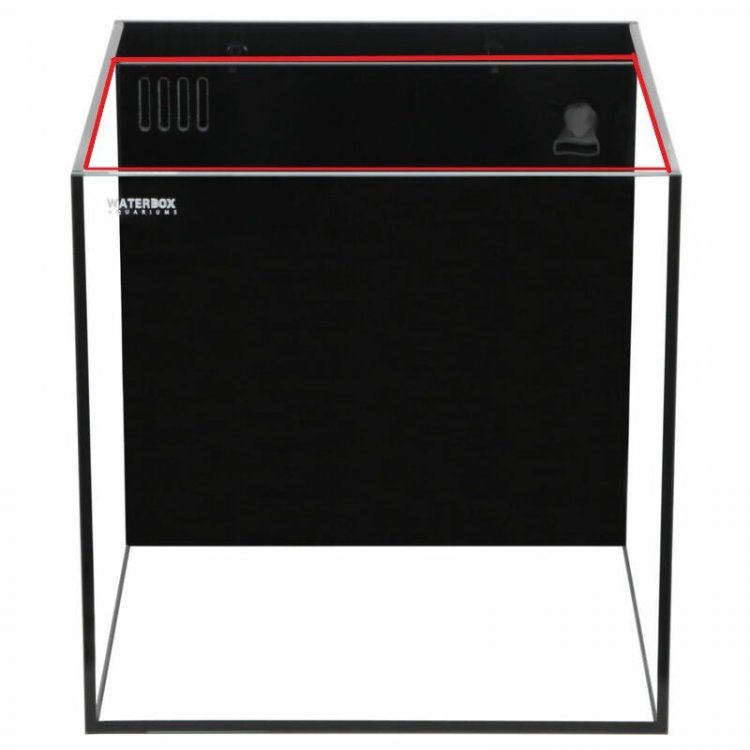
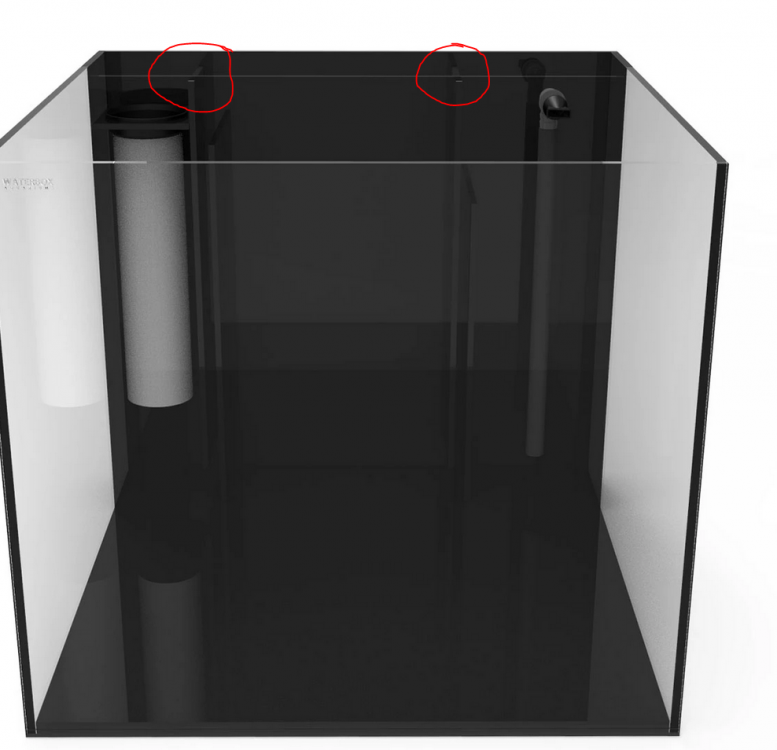
 Yep. That's right. That's why I said, it's just a matter of getting a piece of perspex/acrylic cut to size to fit into that area. But having a closer look at Steens lid for the main tank, it looks like a piece of glass that is cut to the inner dimension of the top (see pic below). The black strips glued to the side rests on the tank's top edge to stop the lid from falling through.
 1 point
 -
I really like the look Steen's got on his lid with the strips. I may try to recreate something similar for mine. And it looks like the sump compartment cover just rests on these pieces and on a little shelf they added on the left side to support the other side of the sock cover. Doesn't look like it would restrict any flow.
 1 point