Leaderboard
-

Merlin
Members1Points5Posts -

Phoenix
Members1Points15Posts -

samantha123
New Member1Points2Posts -


sdlTBfanUK
Moderators1Points2346Posts
Popular Content
Showing content with the highest reputation on 12/15/20 in all areas
-
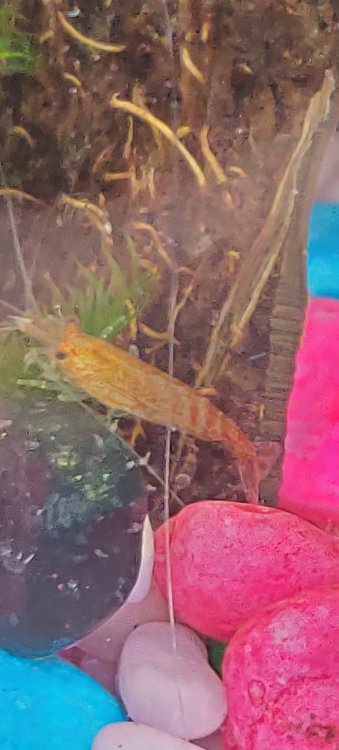
1 pointHi, Im new to shrimp keeping and I just bought some without my glasses on ? Can anyone tell me what it is I got.. I'm not saying what they were shown as!!
 1 point
 -
1 pointHello fellow UK! I would say it is almost certainly neocaridina (cherry) and quite pretty. If it is just purchased the colour may improve over the next week! I imagine it is a red or orange cherry shrimp? They can be a bit blotchy like the head of the picture, but the tail looks redder?? Did you just get the one or do you have otheers and do they look similar? It is very unusual but it may change a bit if it is very new? Simon1 point
-
1 pointI am using an H2oEliteLabs water conditioner for my fish tank because I am worried that a normal water conditioner can have bad effects on my fishes.1 point
-
Thank-you very much for the assistance. A lot of people indicated mold would be a major problem so I got a little excited. Will continue to monitor and hand clean as needed. Cheers, ~M1 point