Skip to content
View in the app

A better way to browse. Learn more.

Shrimp Keepers Forum

A full-screen app on your home screen with push notifications, badges and more.

To install this app on iOS and iPadOS
  1. Tap the Share icon in Safari
  2. Scroll the menu and tap Add to Home Screen.
  3. Tap Add in the top-right corner.
To install this app on Android
  1. Tap the 3-dot menu (⋮) in the top-right corner of the browser.
  2. Tap Add to Home screen or Install app.
  3. Confirm by tapping Install.

Leaderboard

  1. Steensj2004

    Steensj2004

    Platinum Members
    4
    Points
    273
    Posts
  2. Jay_Walker

    Jay_Walker

    Members
    2
    Points
    33
    Posts
  3. sdlTBfanUK

    sdlTBfanUK

    Moderators
    2
    Points
    2346
    Posts
  4. Crabby

    Crabby

    Members
    1
    Points
    652
    Posts

Popular Content

Showing content with the highest reputation on 12/10/19 in all areas

  1. sdlTBfanUK
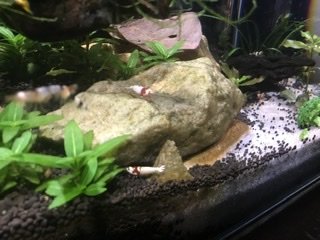
    Lovely pictures. I like the wild type brown with a stripe, I have some of those from red cherry but could never cull them as I quite like those? Having the mix of CRS and CBS makes it much more interesting to look at. Hopefully the wait for babies isn't too distant! Simon
  2. Steensj2004
    You could just creep on them a lot, make them real uncomfortable. Nobody wants to do the hippity-dippity with some creep watching them. you're welcome.
  3. Steensj2004
    The picture doesn’t really do it justice. The other two of them are actually green, a dark emerald green and yellow. I have 3 of them. Unfortunately, all males.
  4. Steensj2004

Account

Navigation

Search

Search

Configure browser push notifications

Chrome (Android)
  1. Tap the lock icon next to the address bar.
  2. Tap Permissions → Notifications.
  3. Adjust your preference.
Chrome (Desktop)
  1. Click the padlock icon in the address bar.
  2. Select Site settings.
  3. Find Notifications and adjust your preference.