

Leaderboard
-

Blue Ridge
Members2Points45Posts -

nicpapa
Members2Points84Posts -

beanbag
Members1Points300Posts -

jayc
Moderators1Points6248Posts
Popular Content
Showing content with the highest reputation on 09/28/19 in all areas
-
2 pointsSomething like this would come in very handy: https://www.amazon.com/gp/product/B06WD843ZM/ref=ox_sc_saved_title_1?smid=A3RWIXDOQ27037&psc=12 points
-
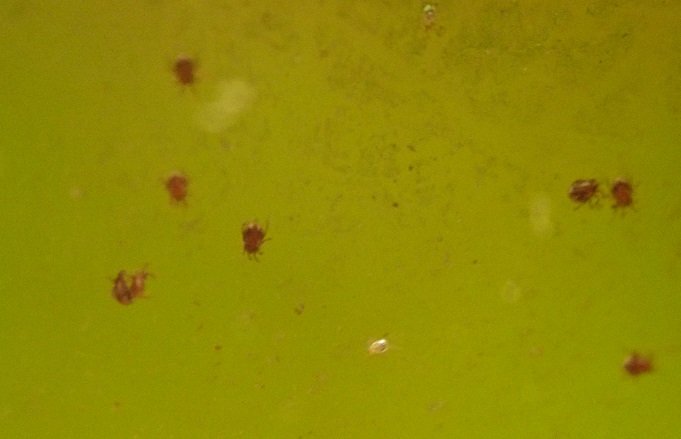
Hello folks, I have these tiny mite-like critters in my shrimp tank. They are brown (or white / tan when younger) and about 0.5mm in size. They move very very slowly and don't know how to swim. They are also eating up my biofilm / algae/ leaf litter which is food for my shrimp. I'm willing to evacuate my shrimp for a few days, so what's a good way to nuke them?
 1 point
 -
Red Water mites or Hydracarina. Not a very common sight in an aquarium. Anything that would nuke them would be bad to have in the tank for shrimps as well. If you can move your shrimp to another tank, then drain and dry out the tank to get rid of them. Or add some fish to eat them up. Remove any filters and ensure none are in there too before adding it to a tank.1 point
-
1 pointI take 2 videos camera canot focus closer... You can see them go left and righ ... but very slowly , filters are off1 point
-
1 pointNo those are black , those i am sure that is worms... i saw them with magnify glass move slowly... I can add tetras in there tank has lot of babies of taiwan pintos shrimps.1 point