

Leaderboard
-


NoGi
HOF Member5Points5858Posts -

ineke
HOF Member2Points9026Posts -
neo-2FX
Members2Points723Posts -
Brentwillmers
Members1Points62Posts
Popular Content
Showing content with the highest reputation on 04/24/17 in all areas
-
1 point
-
 1 point
 -
I have one of Jamie's macro lenses and got some awesome photos of my shrimp. Definitely worth the wait. Sent from my iPhone using Tapatalk1 point
-
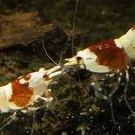 1 pointHello guys. I'd like to share some of my Pinto mix. Hope that U like them. Plis tell me aswell should I start as a part of my chanel english version :)1 point
 -
1 point
-
1 pointAwesome sight, don't often get to see so many in one tank. Love their little " white gloves" waving away.1 point
-
I'm finally getting time to look at this again. So, who's up for some more ideas?1 point
-
I don't do much, the community is great because of the quality of members we have here. ?1 point