

Leaderboard
-
travellife
Members1Points36Posts -
neo-2FX
Members1Points723Posts
Popular Content
Showing content with the highest reputation on 03/02/17 in all areas
-
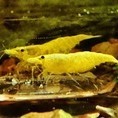
Jayc - haven't ordered the SL-Aqua yet, wanted to run all this info by you shrimp pros first. I currently use tap water treated with Prime the end result being the water parameters in my original post. I'm hoping I can use the same procedure and simply add the mineralizer to increase the GH/KH/TDS. Zoidburg - thanks for that explanation. I'll shoot for raising the GH to 7 and focus on that parameter for now. I like to keep things simple. I bought some organic spinach from TJ's today but read a couple of incidents about people buying grocery store organics and then losing shrimp. Think I'll go with some specialty shrimp food instead when I order the Red Wizard. These shrimp are a pricier hobby than tropical fish but I think they're worth it. travellife1 point
-
1 pointI'm always hesistant in removing them often because a) could lose some baby shrimp on them when putting them in a bucket b) may disturb the tank too much and stress shrimp What filter media do you have in your one that's running? I have Seachem Matrix in all of mine so I wonder whether they're somehow clogging up the chamber easily. I haven't noticed that actually. Please post up a photo when you get a chance, you've got me interested in that and will pay attention next clean.1 point