Skip to content
View in the app

A better way to browse. Learn more.

Shrimp Keepers Forum

A full-screen app on your home screen with push notifications, badges and more.

To install this app on iOS and iPadOS
  1. Tap the Share icon in Safari
  2. Scroll the menu and tap Add to Home Screen.
  3. Tap Add in the top-right corner.
To install this app on Android
  1. Tap the 3-dot menu (⋮) in the top-right corner of the browser.
  2. Tap Add to Home screen or Install app.
  3. Confirm by tapping Install.

Leaderboard

  1. NoGi

    NoGi

    HOF Member
    3
    Points
    5858
    Posts
  2. perplex

    perplex

    Members
    1
    Points
    452
    Posts
  3. jayc

    jayc

    Moderators
    1
    Points
    6248
    Posts
  4. inkevnito

    inkevnito

    Members
    1
    Points
    72
    Posts

Popular Content

Showing content with the highest reputation on 07/05/16 in all areas

  1. NoGi
    Summary: Improvements to the Personal Messenger Description: There are some improvements coming to the PM system as part of the next forum update to 4.1.13. View full item
  2. jayc
    Excellent! I can finally keep my inbox tidy.
  3. perplex
    do i dare to swap? i just had a quick look and i may of found some bugs/things not a fan of XD. ill stay on dark theme for now till you remove it hehe
  4. inkevnito
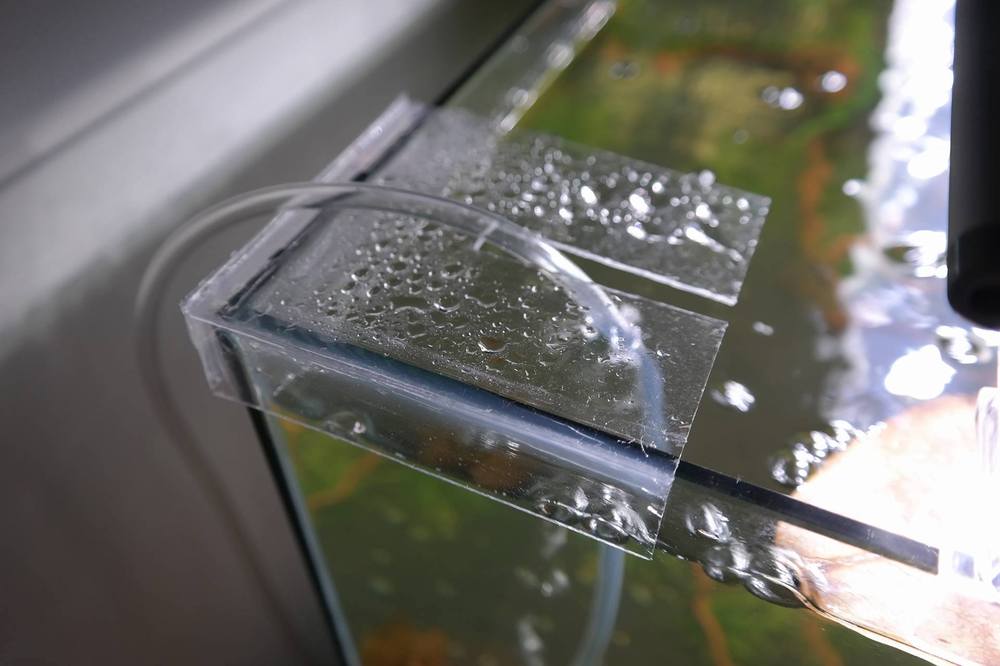
    Also made an acrylic barrier thingo to stop water splashing out from sponge filter. 1mm acrylic is a pain to work with. LOL
Account

Navigation

Search

Search

Configure browser push notifications

Chrome (Android)
  1. Tap the lock icon next to the address bar.
  2. Tap Permissions → Notifications.
  3. Adjust your preference.
Chrome (Desktop)
  1. Click the padlock icon in the address bar.
  2. Select Site settings.
  3. Find Notifications and adjust your preference.