Skip to content
View in the app

A better way to browse. Learn more.

Shrimp Keepers Forum

A full-screen app on your home screen with push notifications, badges and more.

To install this app on iOS and iPadOS
  1. Tap the Share icon in Safari
  2. Scroll the menu and tap Add to Home Screen.
  3. Tap Add in the top-right corner.
To install this app on Android
  1. Tap the 3-dot menu (⋮) in the top-right corner of the browser.
  2. Tap Add to Home screen or Install app.
  3. Confirm by tapping Install.

Welcome Quakeszn

Featured Replies

SKF Aquatics (Shrimp Keepers Forum) welcomes Quakeszn.

Please feel free to browse around and get to know others. If you have any questions please don't hesitate to ask.

View Member

regards,
skfadmin

  • Author

Hi.

A big thank you to admin for assisting me to join the forum as no matter what i did technology denied me.

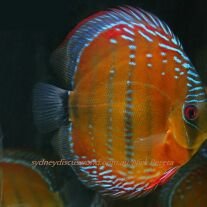
Im from South Africa, city of Durban. My wife keeps many fish and has a small fish importing busines. I myself am a discus nut but must say my wifes shrimps have grown on me.

We have kept and spawned many neo cardinias. I however want to try my hand at keeping cardinias. Namely CRS and CBS. I have access to CBS and CRS grade S to start with.

I hope this will be a rewarding journey with shrimp as im having with my discus.

Regards
Quintin

Sent from my HUAWEI Y360-U72 using Tapatalk

  • HOF Member

Welcome aboard. Glad to have sorted your access out and be sure to share photos of your setup

  • Author

We currently have
Pumpkin Shrimp
Orange Rilli
Yellow
Painted Fire Red
Red Rilli
Blue/Red Rilli
Blue Jelly

Soon to get Black Carbon Rilli

Sent from my HUAWEI Y360-U72 using Tapatalk

  • Author

Some random shots sorry for low quality picscc44c3c1ee14cdbf442fde1c5a2d0ebd.jpg402ae0d0ff81259de5f0d2506d666e20.jpge9f1aaa7f405705f379a21fd72caa8b0.jpg91f07c6953dd6f22ed590bfd4e55286e.jpg429f3def35a1364d0adc3ee33a8760c9.jpg0825d98e951842f7329108843f4dc000.jpgd3a9cb5071db070f9b8f2d0f1735d50e.jpg54c5e017ab1e30d9faa9731062df8825.jpg82233a579adb232be2c08985d4163f13.jpgbb1573ec07dd168fe3fe9b30b010193e.jpg37bb5e9e4cd8d84fd679119f212ddecf.jpgc006ec959ed666dc60b3f80816c0d7cb.jpg

Sent from my HUAWEI Y360-U72 using Tapatalk

Create an account or sign in to comment

Account

Navigation

Search

Search

Configure browser push notifications

Chrome (Android)
  1. Tap the lock icon next to the address bar.
  2. Tap Permissions → Notifications.
  3. Adjust your preference.
Chrome (Desktop)
  1. Click the padlock icon in the address bar.
  2. Select Site settings.
  3. Find Notifications and adjust your preference.