

Leaderboard
-
alkemist
Members1Points37Posts -

jayc
Moderators1Points6248Posts
Popular Content
Showing content with the highest reputation on 11/19/21 in Posts
-
1 pointKeep doing this, and feeding it the medicated food. If the shrimp doesn't eat the food within a day, remove it and feed new medicated food again the next day. You sir, are a good candidate for an RO filter. Your shrimp are not going to like the hard water in the long term.1 point
-
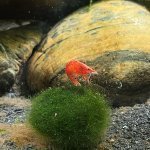
1 pointThe shrimp is in a separate container, but it's been in there for a week or so now. I see it picking off the air stone and the sides of the tub. There is shrimp poop in the container, so it is eating, just not the food I give it. I suck out the detritus and excess food every couple of days and do small water change daily. At first I used tank water, since I don't run R/O. I use a combination of hard tap water with a little water ran through my water softener (I know it's a bit taboo to do). I don't know an exactly how to re-mineralize it to keep the shrimp from going into shock if I used straight clean tap water. I am starting to slowly remove the water from the tub and mixing it with direct tap water with the water softener on by-pass, so hopefully it can acclimate to full clean tap water. With the shrimp feeding, should I try to remove all visible signs of food and fast it for a couple days and then try again?1 point