

Leaderboard
-
perplex
Members3Points452Posts -
revolutionhope
Members1Points1179Posts -

OzShrimp
Members1Points4102Posts
Popular Content
Showing content with the highest reputation on 10/26/15 in Posts
-
2 pointsok so this will be my final update on editing it since it doesnt seem to have much interest, my final update will be during summer to see how it works This is the temp monitoring. you just set the temp you want the pump to turn on at, and set the temp you want the pump to turn off at. so i currently set it to on at 26c and off at 24c this is it in its final place, i moved the pump2 points
-
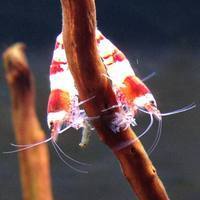
1 pointlove the red ones they look awesome. the colour looks solid and bright on all of them too1 point
-
1 point@DemonCat http://shrimpkeepersforum.com/forum/articles/shrimp-care/how-to-transport-or-store-shrimp-for-extended-periods-of-time-r41/1 point
-
1 pointabit of an update... i ended up getting the new power supply, and it made a hell of a noise so ive ordered a new one (it also electrocuted me.. LOL good old ebay quality.....) so the new one is on the way. while i had it running for 20 mins to test out the new powersupply i decided the fan to cool my water was to loud, so i did abit of a mod and made a new one to fit. just an old pc fan i had laying around and yes its got speed controls LOL. so im hoping this will be better cooling and less noise. ill add some other picture of it later, when the glue has dry and its standing up1 point