

Leaderboard
-

newbreed
Members2Points3152Posts -

CNgo2006
Members2Points2369Posts -

Bigbear
Members1Points74Posts -

BlueBolts
Members1Points5650Posts
Popular Content
Showing content with the highest reputation on 08/10/14 in Posts
-
 1 point
 -
1 point
-
1 pointCongratz, sounds awesome, and extremely excited for you in this path ....... Woohoo1 point
-
1 point
-
If you need inspiration, be sure to check out the shrimp tank journals threads. There have been some brilliant detailed threads posted about setting up a rack system. Just dream big with this, it doesn't have to be perfect, just as much details about your ideal system as possible.1 point
-
Hi everyone things have been going good since the change to ro water no fatalities and just put some new red cherrys in water param have been nice and stable I'm about to start testing water on my second nano tank as its been up and running for 2 weeks now and ill post up some new pics later this morning of the new tank has cleared up nicely all the plant seem to be going well with lots of pearling on plants looks great till next time bigbear out1 point
-
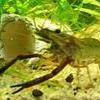
1 pointWe all know that preggo mumma shrimp make us smile so here is a thread where we post up pics of these mummas for those rainy days when we need a bit of picking up...I'll start off with a couple Shadow Panda Red Ruby Blue from Carbon Rilli1 point